

KNPL Variance Project Documentation
New Solvent Yard Report
Steps to Access
- Login to the application using your Username and Password.
- From the Main Menu, navigate to Reports.
- Select New Solvent Yard Report to open the page.
Standard Operating Procedure (SOP)
- Select From Date and To Date.
- Optionally enable Split Mode to generate day-wise reports.
- Review report for 5 tanks:
- Compare Closing Stock vs Level Transmitter
- Verify outputs equal to sum of inputs to other tanks
- Use Export button to download Excel.
1. Date Selector

Figure: Date and Time Selection with Split Mode
The Date Selector operates similar to the Dashboard. Users must select the From Date & Time and To Date & Time to generate a report. By default, it loads from yesterday 8:00 AM to today 7:59 AM, representing a 24-hour cycle. The Split Mode allows breaking the report down into daily parts for detailed analysis.
2. Report Details
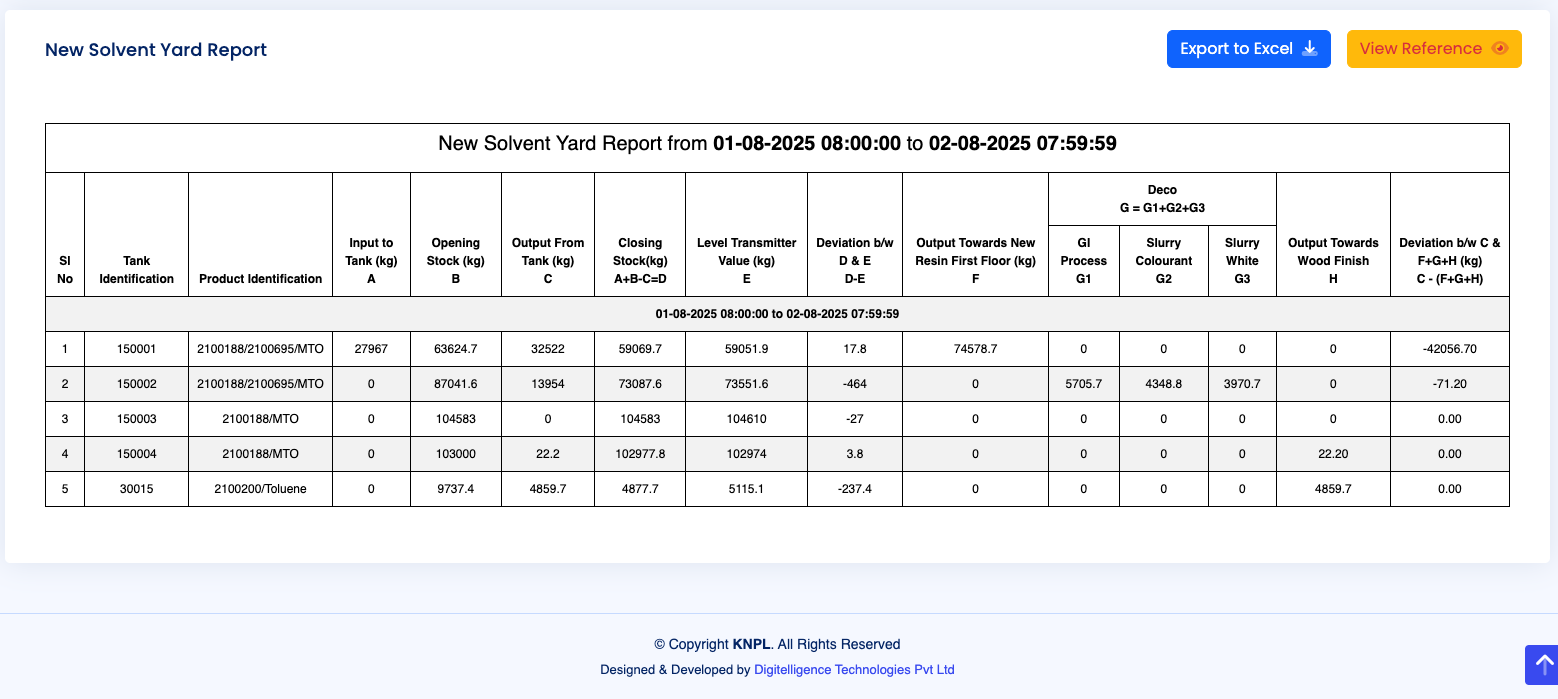
Figure: Tabular Report with Tank-wise Data
The New Solvent Yard consists of five tanks. The report provides detailed insights into:
- Closing Stock vs. Level Transmitter Values to monitor discrepancies.
- Opening Stock, Input, and Output Calculations for each tank.
- Output Distribution across destinations such as Resin, GI Process, Slurry Colourant, Slurry White, and Wood Finish.
- Reports can be exported to Excel using the Export to Excel button located at the top right of the report section.
3. Process Schematic and Reference
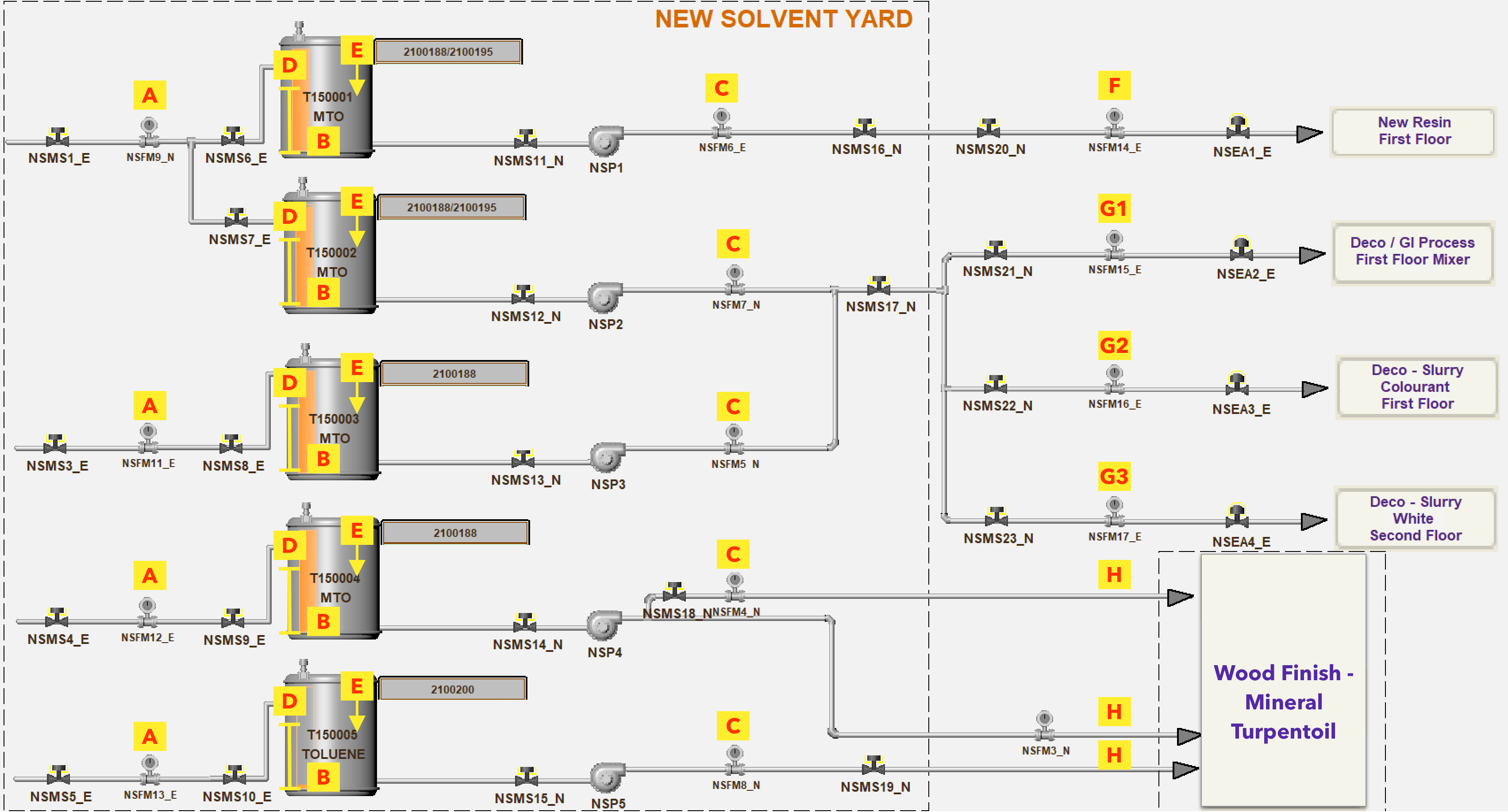
Figure: New Solvent Yard Flow Diagram with Alphabetic Reference
The schematic diagram above shows the flow of solvents in the yard along with reference points (A–H, G1–G3) marked in yellow. These correspond to valves, pumps, transmitters, and outlets.
The reference mapping is as follows:
- A – Input Flow Meter (Solvent Inlet)
- B – Tank Opening Stock (calculated from input/output)
- C – Output Flow Meter (Tank Outlet)
- D – Level Transmitter (Tank Level in cm)
- E – Closing Stock (calculated)
- F – Output to New Resin, First Floor
- G1 – Output to Deco/GI Process, First Floor Mixer
- G2 – Output to Deco – Slurry Colourant, First Floor
- G3 – Output to Deco – Slurry White, Second Floor
- H – Output to Wood Finish – Mineral Turpentine
These references are also available in the tabular report section (via the “View Reference” button) for quick correlation between process schematic and data.